CST Deployment Orchestrator

CST Installer V2

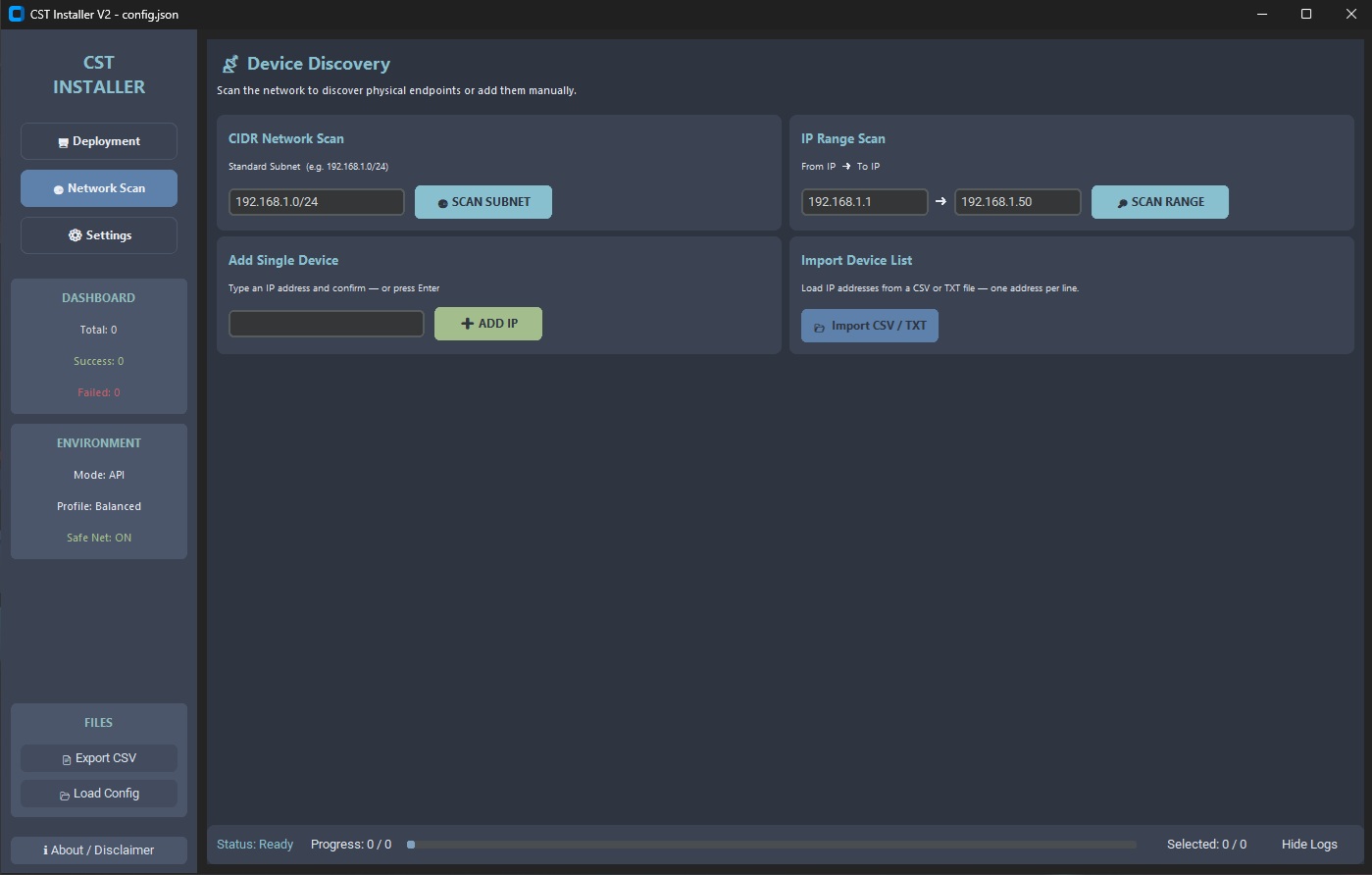
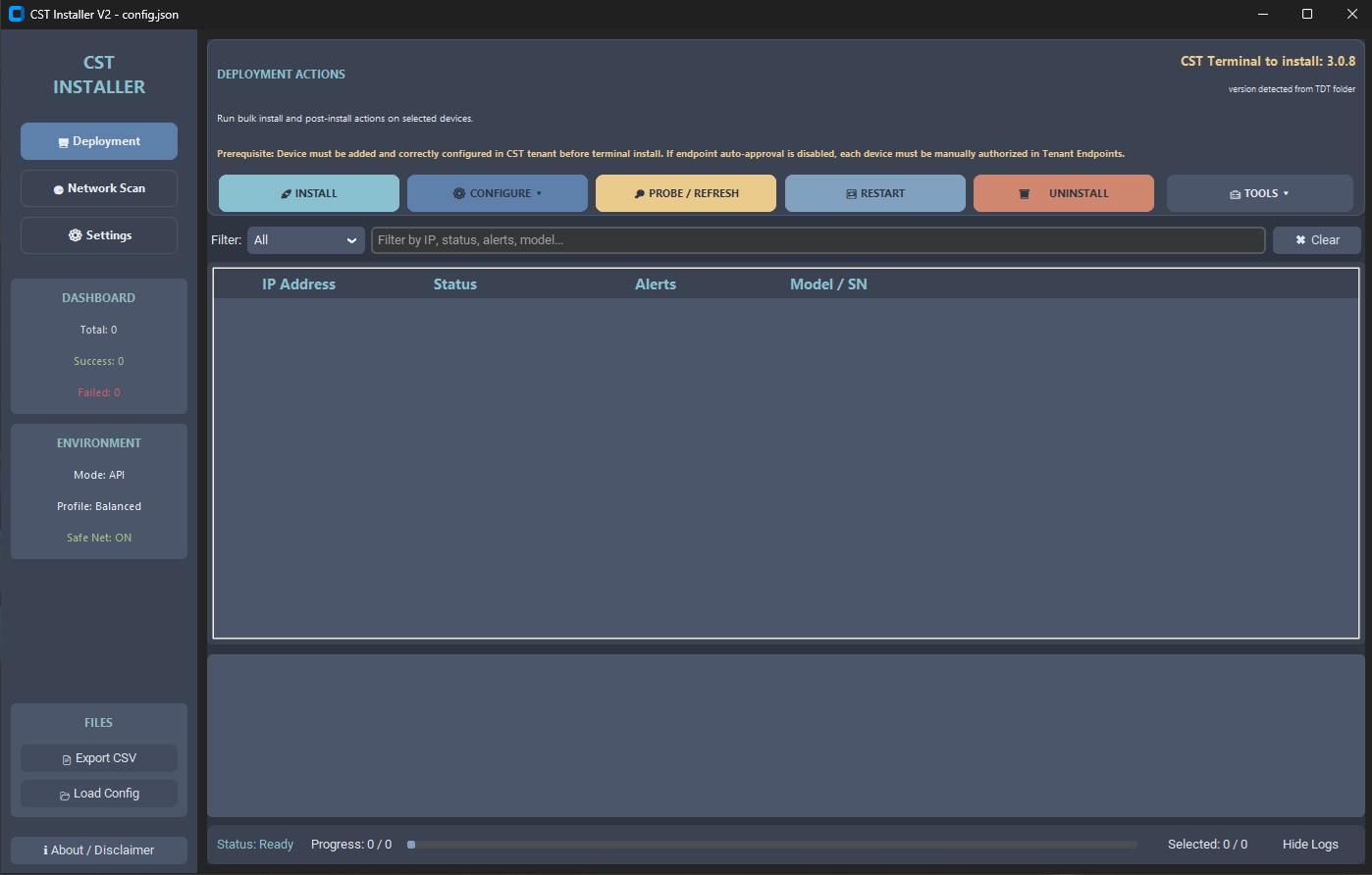
Orchestrator for bulk CST terminal deployment on Ricoh MFD devices. Uses the TDT API for parallel installation, configuration and uninstallation across the entire printer network — without manual access to individual devices.

Supported Bulk Operations:

  • Terminal Installation
  • Multi-type Configuration (SP Mode, Card Reader)
  • Remote Restart
  • Complete Uninstallation
  • Management & Customer Profiles (Save/Load)
Features Tech Dive
CST Installer V2 Dashboard

Features

🏗️

API-First Architecture

V2 communicates with the terminal backend via a dedicated orchestrator on port 7312. This eliminates the "forking" of dozens of binaries and radically stabilizes execution on weaker HW.

Asynchronous Discovery

The new scan engine uses Python asyncio. It can scan hundreds of IP addresses in parallel without UI freezing or overwhelming the local stack.

📡

SNMP Engine

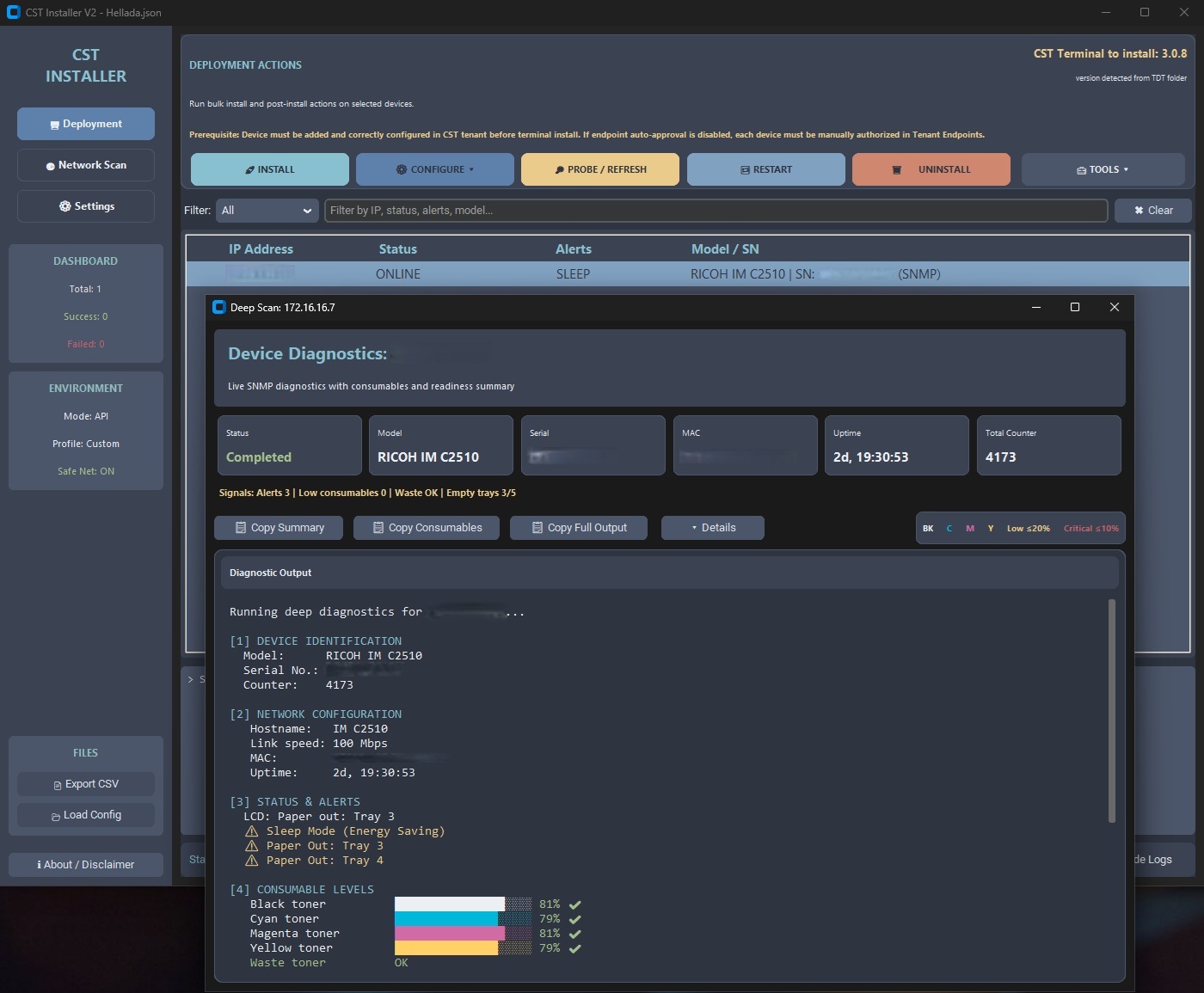
In-depth inspection of MIB tables (RICOH Private MIB). Automatically detects serial numbers, models, toner statuses, and installation readiness without physical access.

🛡️

Safe Network Mode

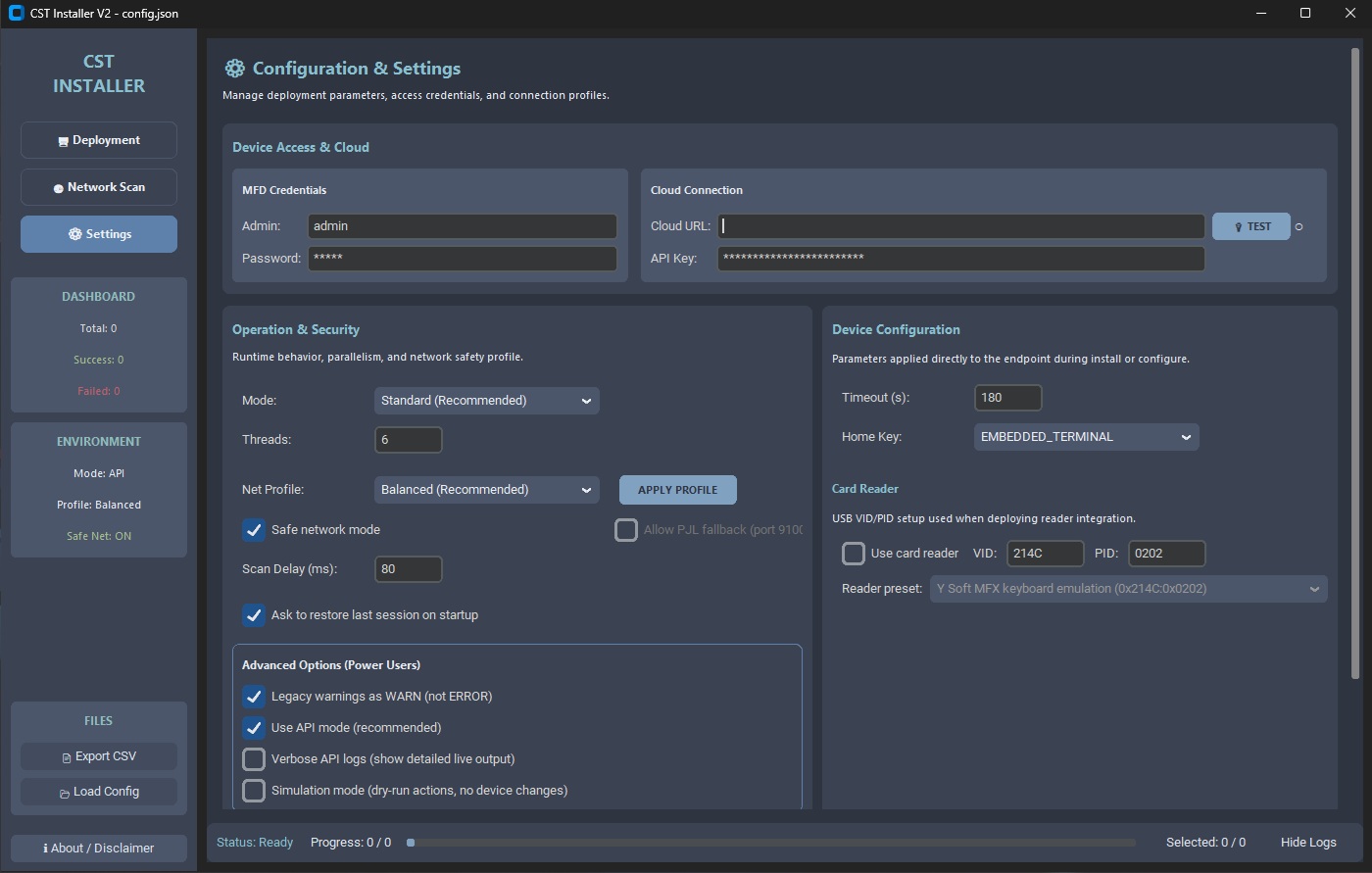
Request pacing with random jitter reduces the risk of port scan detection in the customer's IPS/IDS systems.

📊

Live Log Stream

Real-time log tailing directly in the UI. See exactly what is happening inside the installer without needing to search for temporary files on the disk.

📦

Multi-Stage Deployment

The installation process is split into stages: Pre-check → Binary push → Configure → Verify. Each step has its own retry logic and error handling.

🔬

Diagnostics Mode

The app starts with full Network Scan and Deep Scan capability even without TDT components (java, lib). Ideal for quick device diagnostics at a customer site without the full deployment package.

Deployment Flow

How CST V2 runs deployment

1. Discovery & Validation

Asynchronous SNMP probe verifies the model, serial number, and device readiness (not in deep sleep, no critical errors).

2. Remote Binary Push

Secure transfer of the installer via local API to the device's HTTPS port. Uses parallel execution for batch operations.

3. Cloud Configuration

Connecting the terminal to the specified tenant, setting certificates and card reader parameters according to the selected profile.

4. Final Verification & Restart

Final check of application status and device restart after configuration completion.

Hardening & Security

Security Measures

Safe Network Mode

Intelligent pacing and jitter for IDS/IPS-friendly scanning.

API Redaction

Automatic masking of sensitive data (passwords, keys) in logs.

Audit Trail

Detailed tracking of every operation for later security auditing.

Standalone Runtime

No temporary files, everything runs from a fixed controlled folder.

TLS Verification

Mandatory certificate validation when communicating with the Cloud portal.

Legacy Port Blocking

Automatic preference for modern ports over dangerous fallback options.

Release Manifest

Build includes an SHA256 manifest for easy onboarding into corporate EDR systems.

Technical Deep Dive

CST V2 is not just a script. It is a deterministic orchestrator designed for stability in conservative enterprise environments.

  • Async Core: Event loop (Python 3.13) with controlled concurrency via Semaphore. No network stack flooding.
  • Low-level SNMP: Direct PySNMP implementation for RICOH Private OID without external utilities.
  • EDR-Friendly Build: PyInstaller OneDir distribution. The tool does not run from %TEMP%, which significantly reduces false-positive risk in SentinelOne/CrowdStrike.
  • Static API: Fixed port 7312 for internal orchestration of TDT components, enabling precise local firewall rules.
# CST V2 Core Logic: Non-blocking Worker
import asyncio, aiohttp, random
SEM = asyncio.Semaphore(8)
API_ENDPOINT = "/internal/orchestrator/install"

async def orchestrate_task(session, ip):
  async with SEM:
    await asyncio.sleep(random.uniform(0.1, 0.5))
    async with session.post(API_ENDPOINT, json={"target": ip}) as r:
      return ip, r.status

async def run_batch(targets, on_progress):
  async with aiohttp.ClientSession() as session:
    tasks = [asyncio.create_task(orchestrate_task(session, ip)) for ip in targets]
    for done in asyncio.as_completed(tasks):
      ip, status = await done
      on_progress(ip, status) # non-blocking UI update

Technology Stack

Python 3.13 CustomTkinter AsyncIO PySNMP PyInstaller OneDir Windows 10 / 11

Who Is CST V2 For?

Professional Services

On-site deployment — bulk, repeatable, and significantly faster than manual procedures.

IT Administrators

Bulk configuration management, reliable reporting, and diagnostics of the entire printer fleet.

Security Team

Safe network mode, automatic masking of sensitive data in logs, EDR-friendly operation (one Java API server instead of hundreds of subprocesses), and SHA256 manifest for AV/EDR allowlisting.

Setup & Usage

1. File Location

All binary files and libraries (CST_Installer_V2.exe, lib, java, data) must remain in the same root folder as the Terminal Deployment Tool (TDT) to preserve paths to the API backend.

2. Printer Preparation

For proper functionality of the CST terminal on Ricoh devices, it is essential that the devices are pre-added to the appropriate CST Tenant/Cloud portal under the correct serial number.

3. Package Verification

Always distribute the generated SHA256SUMS.txt file alongside the build. Administrators at the target site must verify the package integrity against this manifest prior to execution.

Download

Latest version of CST Installer V2 for Windows (x64)

⬇ Download CST_Installer_V2.zip

Design & Dev by Marek B.